
When it comes to function calling guide, API orchestration lets non-technical operators connect business logic to real systems without writing code. We treat function calling as the mechanism: AI identifies when a CRM lookup or workflow trigger is needed, then executes it. Our AI Opportunity Blueprint, delivered in 10 days for pricing varies maps these integrations across GHL, HubSpot, and custom APIs for operators.
Key Takeaways
- Function calling transforms AI from passive information provider into active system that retrieves data and executes tasks.
- eMediaAI’s Fractional Chief AI Officer services guide operators through implementation in under 90 days to ROI.
- Multi-step agent workflows require intent recognition plus internal orchestration for reliable production-grade automation and control.
Why Should Non-Technical Operators Care About Tool Calling?
Non-technical operators should care about tool calling because the capability decides whether an AI investment answers questions or actually performs tasks inside a business. Operators who skip this distinction risk paying for a chatbot when the budget promised something closer to an employee.
Tool calling lets an AI system reach outside its own training data to pull real information from business systems. A model trained months ago cannot know today’s inventory count, an open invoice, or a current customer record on its own. Tool calling closes that gap by connecting the model to the databases and software operators already run day to day.
We treat tool calling and function calling as the same capability, and we tell every client that upfront. Both terms describe the mechanism sitting at the core of agentic AI, the kind of automation businesses use to cut manual steps out of daily operations. A clear function calling guide should state this plainly instead of treating the two terms as competing products.
This shift changes what AI does inside a workflow, not just what it says. Large language models with tool calling access move from passive assistants into systems that automate workflows, query databases, and make real-time decisions. We consider this the line between a demo and a real deployment.
What changes operationally once tool calling is in place?
Operators gain systems that act, not just respond. Instead of a summary, the operator gets a completed task, a scheduled follow-up, or an updated record.
Operators evaluating vendors should ask directly how API orchestration agents. tool use AI agents connect to existing systems before signing anything.
What Exactly Is Function Calling In Plain Terms?
Function calling lets an AI model reach outside its own training data to interact with outside tools. APIs, triggered by whatever a user types or says. We treat this as the single mechanism that turns a chatbot into an operator’s assistant. Without it, a model only talks. With it, a model acts.
We explain function calling to operators this way: staff speak in plain language, and the model handles the technical execution behind the scenes. Nobody on the team writes code. Nobody learns an API schema. The operator asks a question or gives an instruction. The system figures out which tool to call and what to send it.
What’s a simple example of function calling in action?
Picture asking an assistant for the weather. Instead of guessing from stale training data, the model calls a weather API and pulls real-time data. That distinction matters for any business decision built on current numbers, not outdated patterns baked into a model months ago.
The same logic applies to inventory checks, scheduling, or pulling a customer record. In each case:
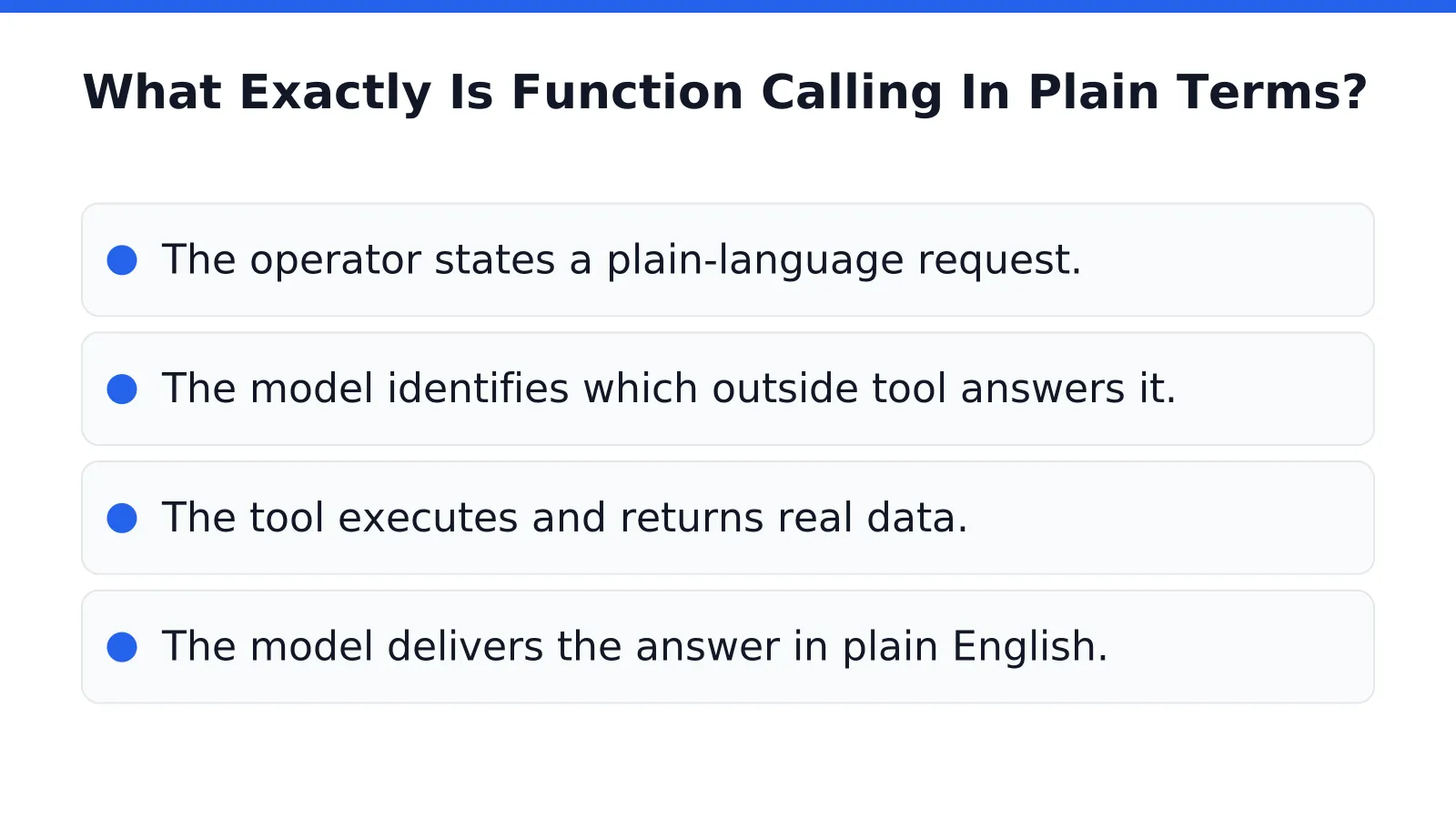
- The operator states a plain-language request.
- The model identifies which outside tool answers it.
- The tool executes and returns real data.
- The model delivers the answer in plain English.
This is the backbone of tool use AI agents and, at scale, API orchestration agents coordinating multiple systems at once. We build these connections for operators who need accurate answers, not confident-sounding guesses. The risk of skipping this step isn’t abstract: it’s bad data treated as fact, delivered with total confidence.

How Does API Orchestration Keep Agents Reliable?
Orchestration keeps agents reliable by separating two jobs that get dangerously blurred in most AI pilots: deciding what to do, and actually doing it. We let the model handle intent recognition and parameter extraction, the part it’s genuinely good at. State tracking, retries, and permissions stay in a deterministic layer we control.
For an operations manager, this distinction matters more than any model benchmark. A chatbot that misreads a customer request is an annoyance. A workflow that fires the wrong refund, books the wrong shipment, or grants the wrong access level is a liability. That’s why api orchestration agents exist as a discipline separate from prompting.
We treat tool use ai agents as components, not decision-makers. The model identifies what the business wants. The orchestration layer decides whether it’s allowed to happen, retries it if it fails, and logs it for governance review. Practitioners building production systems are blunt about this split, cautioning against letting a model alone serve as the workflow engine for anything business-critical.
Where does function calling actually fit?
Function calling works best for narrow, well-defined tasks, not as a replacement for process control. Pulling a customer record, checking inventory, or scheduling a callback are strong candidates. Running an entire fulfillment pipeline unsupervised is not, and treating it that way invites errors no executive wants to explain to a board.
A practical function calling guide for operators looks like this:
- Let the model parse intent and extract parameters.
- Route execution through a governed, permissioned layer.
- Build retries and audit logs around every action.
That architecture is what we deploy when we build automation for SMB and mid-market teams.

Where Does Tool Use Show Up In Daily Work?
Tool use shows up anywhere a conversation needs an answer the AI model was never trained on. A customer asks about order status, inventory, or appointment availability, and a plain chatbot stalls. Tool calling changes that by letting the AI system request information from outside services and APIs right in the middle of the exchange.
For a non-technical operator, this matters because the assistant stops guessing and starts checking. It pulls real-time data instead of recycling stale training knowledge, and it completes actions on the operator’s behalf. We see this most often in voice and chat assistants fielding front-line requests from staff or customers.
How does the system know when to pull outside data?
The underlying service handles this automatically. It recognizes mid-conversation when a question needs outside information. Triggers the right function without an operator flipping a switch or writing code.
Can managers see what the AI actually did?
Yes. Every function call and its result gets stored in the conversation record automatically, so the full history stays intact. That record gives a manager a complete audit trail rather than a black box.
In practice, this shows up in a few recognizable moments:
- A support assistant checking a shipment status mid-call instead of asking a customer to wait.
- A scheduling bot confirming real appointment slots instead of reciting generic hours.
- A sales assistant pulling current pricing or stock levels before quoting a customer.
We treat this review history as a feature, not an afterthought, when we help operators of tool use AI agents judge whether the technology earned its place in the workflow.
How Can Operators Adopt This Without Technical Risk?
Risk-free adoption starts with a fixed scope, not an open-ended experiment. Our AI Opportunity Blueprint delivers a 10-day structured roadmap that maps the highest-value automation opportunities before a single line of integration code gets written. Operators get a complete plan for tool use AI agents without committing to months of trial and error.
Cost certainty matters as much as speed. We price the Blueprint at a fixed pricing varies. Operators know the full cost of discovery before any API or integration work begins. No hourly creep, no surprise invoices once the orchestration layer starts taking shape.
What happens after the roadmap is delivered?
The roadmap becomes the build plan for api orchestration agents that connect your existing software to the AI layer. Clients who move from Blueprint to deployment typically see ROI in under 90 days, once the function calling and orchestration pieces go live.
Who manages the technical risk long-term?
We do, through our Fractional Chief AI Officer service. Operators get ongoing oversight of every integration without hiring a full-time technical executive onto payroll.
A practical function calling guide built this way looks like:
- A 10-day fixed-scope roadmap, not a lengthy discovery engagement
- A known $5,000 cost before integration work starts
- Fractional CAIO oversight instead of a new executive hire
- ROI tracked within a 90-day window post-deployment
None of this works if the technology adds friction. Our mission stays fixed on one outcome: AI that saves time, reduces stress, and actually gets adopted by the people running the business day to day.
FAQ
Is function calling the same as tool calling?
Yes. eMediaAI treats tool calling and function calling as the same capability, both describing the mechanism that lets AI connect to outside systems and execute tasks rather than just respond with answers.
How does eMediaAI help operators implement this capability?
eMediaAI’s AI Opportunity Blueprint™, delivered in 10 days for pricing varies maps integrations across GHL, HubSpot, and custom APIs, guided by Fractional Chief AI Officer services toward ROI within 90 days.
What changes for an operator once function calling is active?
Operators move from receiving answers only to getting completed tasks, scheduled follow-ups, and updated records. The system pulls live data and closes the loop automatically.
Conclusion
In closing, API orchestration and function calling democratize automation for teams without deep technical expertise. The operators who master these patterns, connecting systems, triggering workflows, and letting AI handle the logic, gain competitive advantage through speed and precision. The future belongs not to those who code, but to those who orchestrate. Start small, govern thoughtfully, and let your people focus on strategy instead of manual handoffs.